Automatic uploads from watched folders, improved BT seeding, and international, Hong Kong, Macao and Taiwan delivery routes
We added quite a few features over the past month. This post lists some of them, mainly improvements to delivery routes, video uploads, BT seeding, and inserted-ad removal, then explains two major features in more detail.
Update overview
- Improved delivery-route management and added an international, Hong Kong, Macao and Taiwan route. Viewers whose
IPaddresses are outside mainland China use this route by default. - Improved
IPaccess restrictions, with a single option to block overseas visitors. - Improved inserted-ad removal in the download center with more algorithms and much higher recognition accuracy. Segments are removed only when identified as ads, avoiding accidental deletion of the main video.
- Improved video uploads: the administration interface can now watch a folder on your local computer, periodically scan it, and automatically upload videos, subtitles and covers without adding them manually.
- Improved automatic seeding: only videos in selected categories need to be seeded; exclude categories you do not want to seed. Fast slicing mode also supports automatic seeding.
- Improved batch seeding with complete-series seeding. Select any episode in video management to seed the whole series in one action, without selecting episodes individually.
- Improved system updates: the full update log is available during an update, clearly showing the current step and any errors.
- There are also other improvements and
BUGfixes that are not listed individually here.
That is the overview. Below are details of 2 of these features.
Automatic uploads from watched folders
First, watched-folder uploads. Videos can currently be uploaded or imported into the system in the following ways:
- Uploads through the administration interface
- Scan and import (automatically imports video files on the server)
FTPuploads by multiple users (users upload videos throughFTPfor automatic import)- Download center (download direct video URLs or M3U8 URLs, then import them)
BTmanagement center (download magnet links andBTtorrent files, then import them)
This update primarily improves uploads through the administration interface. Previously, you could upload an entire folder of videos, but newly added videos required another upload operation, which took time. The new watcher solves this: enable it in the administration interface and place files in a folder on your local computer. The system scans periodically and automatically uploads new files. Videos, subtitles and covers are all supported, with no further action required.
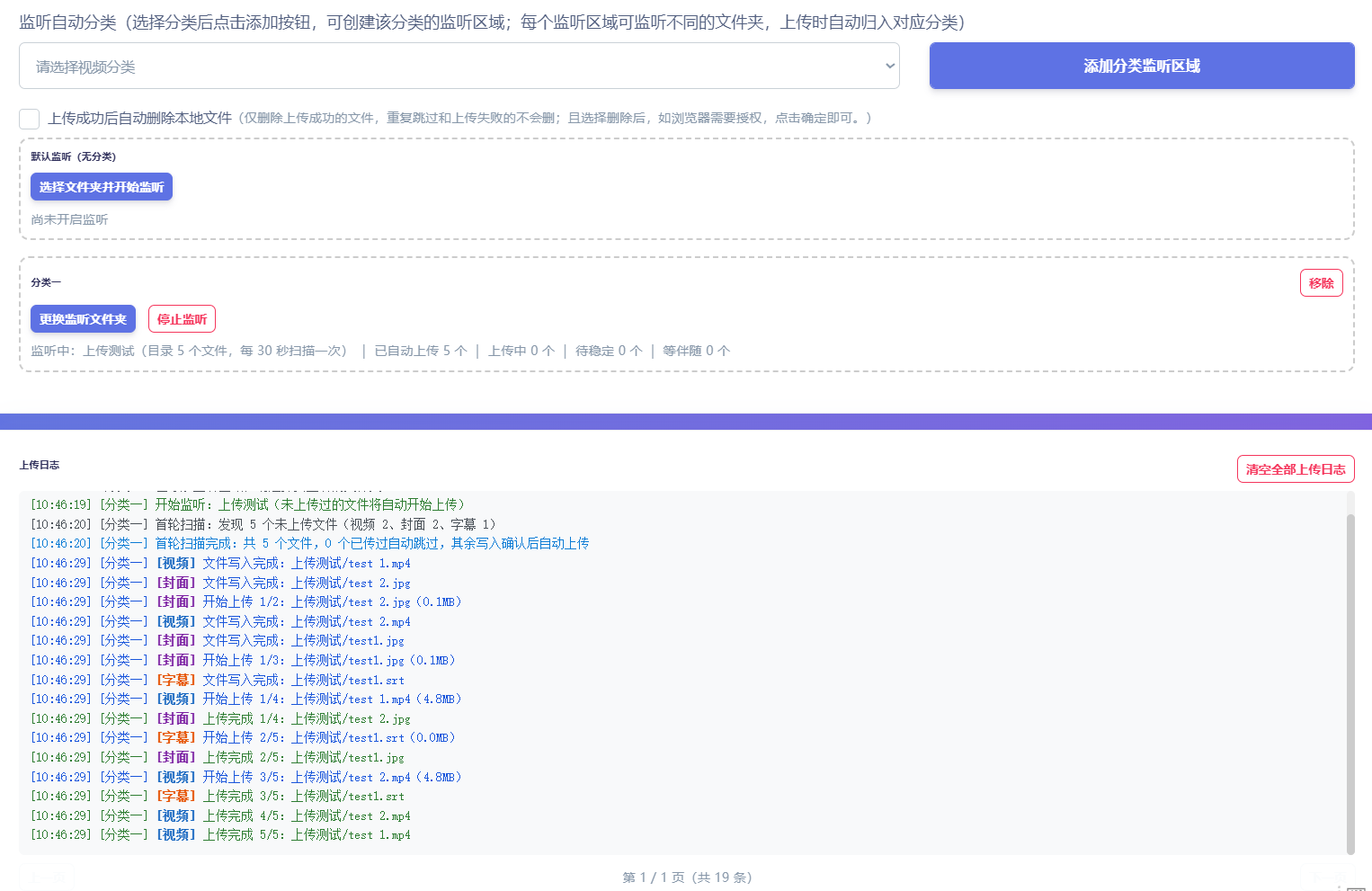
It is easy to use. Open the watched-folder upload page, create a watch area for a category, then select its folder. Each category watches its own folder independently. Uploads are automatically assigned to the corresponding category, so you do not even need to select a category manually. Minimizing the page or leaving it running in the background does not interrupt watching or uploading.
Duplicate files are skipped automatically to avoid accidental reuploads. The page shows live activity, including which files were found and whether each upload succeeded. After closing and reopening the page, you can restore the previous watch setup with one action rather than configuring it again.
Seeding improvements
Seeding has also changed substantially. Both automatic and batch seeding have been upgraded.
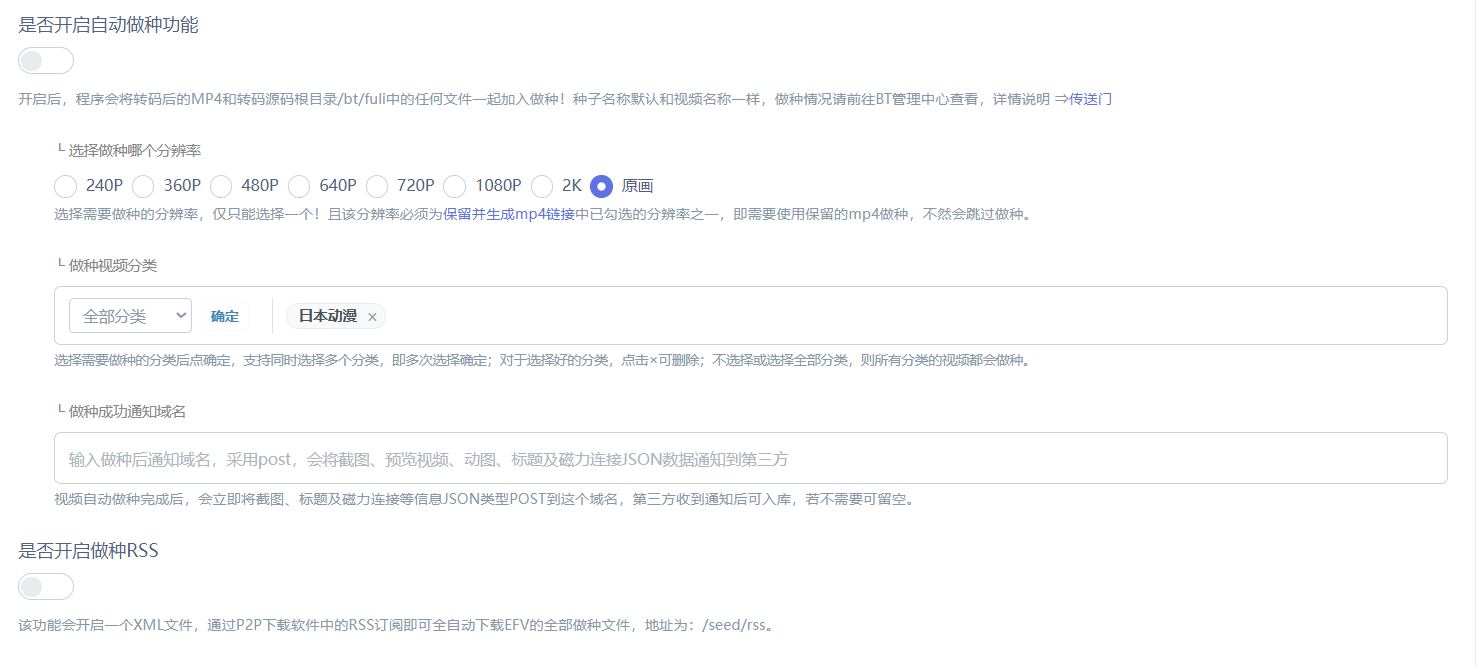
Previously, automatic seeding applied to all videos, making its scope difficult to control. You can now seed only videos in selected categories and decide which categories to include or exclude. Videos processed in fast slicing mode now support automatic seeding too.
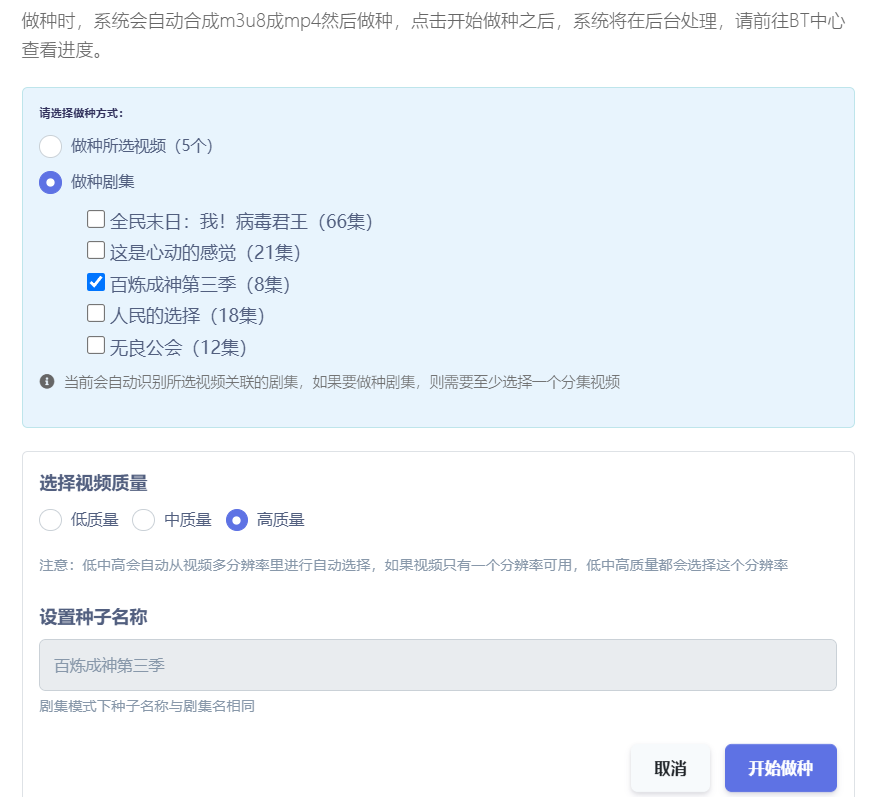
Batch seeding now supports complete series. Select any episode in video management to seed the entire series in one action. There is no need to select episodes individually, even for long series, making it easy to share the whole series at once.
These are the main changes in this update; the remaining details are not listed individually here.