Blog
Improved retranscoding, replaceable and removable embedded mid-roll ads, and expiry for hotlink-protection resolution endpoints
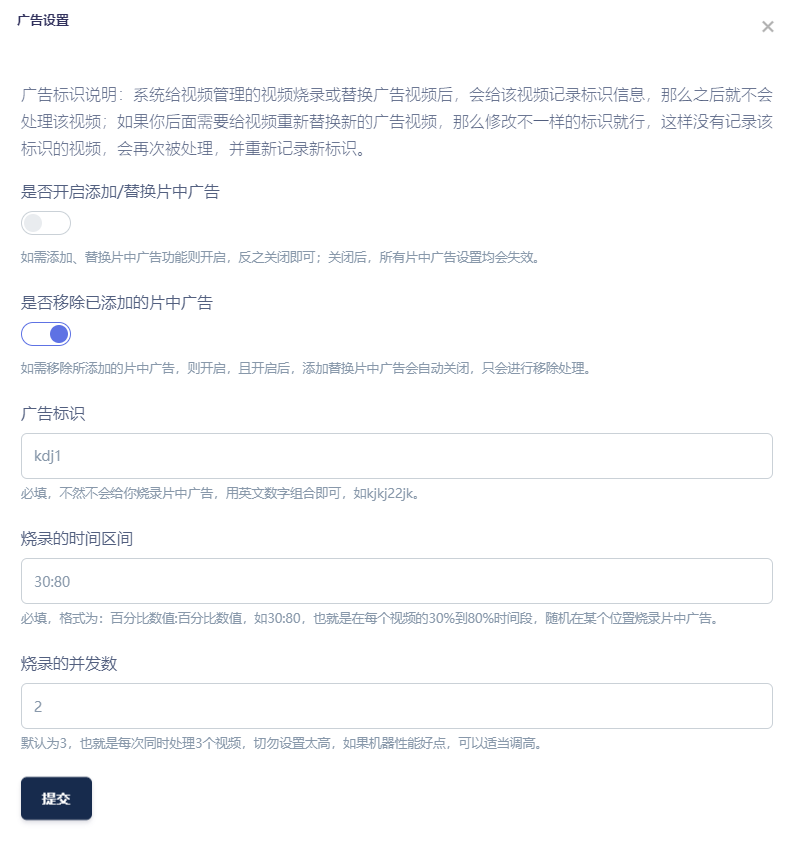
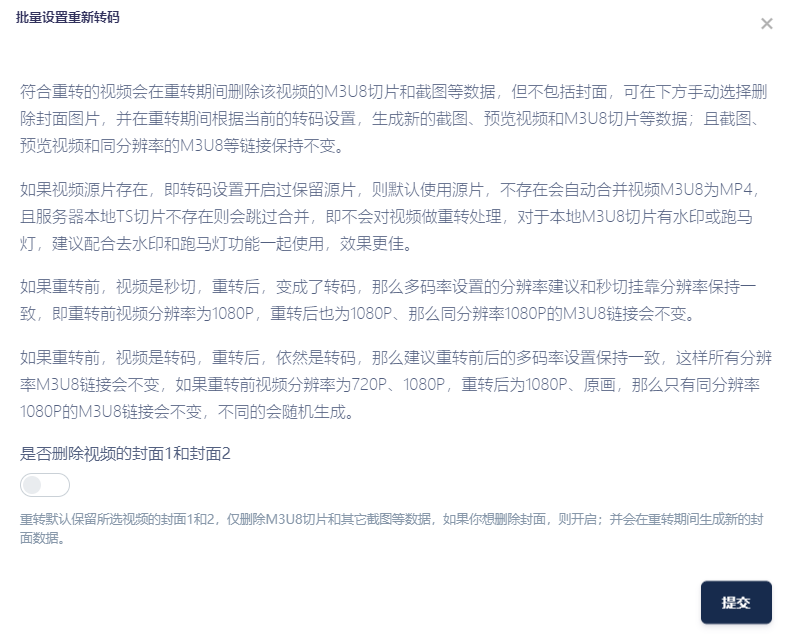
There are many changes in this update, so here is a changelog. We primarily rewrote retranscoding. You can embed mid-roll ads at any time, replace them with new ad videos, or remove them in one action if you no longer want them. None of these operations requires retaining the original source video.
Updates
- Added insertion and replacement of mid-roll ads. The feature automatically retrieves all completed transcoding outputs and embeds your ad videos at random positions within the main video. You can replace these ads later or remove them to restore the original video. The processed video's
M3U8URL remains unchanged. Multiple ads can be selected randomly and assigned to categories. The source video does not need to be retained; segments disguised aspngimages still support insertion, replacement and removal at any time. - Improved retranscoding so that all video information remains unchanged, including URLs for regenerated screenshots, preview videos and
m3u8playlists. You can also choose whether to retain the original cover image. - Added validity periods to resolution endpoints, allowing an endpoint to expire automatically after a specified number of days.
- Improved cloud-storage upload synchronization and fixed an intermittent failure to add downloaded videos to series after collecting data through the MacCMS
api. - Fixed burned-in subtitles not skipping along with the video when transcoding automatically skips an intro of a specified duration.
- Fixed leftover download folders not being deleted after
M3U8download errors in the download center. - Added an
apiendpoint for importing series covers and details. - Added an
apiendpoint for importing video covers and details. Videos can be added to a series automatically after transcoding and sorted by episode number. - Added automatic series import to the download center's
api. After a video finishes downloading and transcoding, it is automatically added to its series and sorted by episode number.
Selected feature screenshots
Here are several main features. See the descriptions in the screenshots for their details.