Blog
Two new watermark modes in the WYSIWYG editor: animated images and randomly flashing text
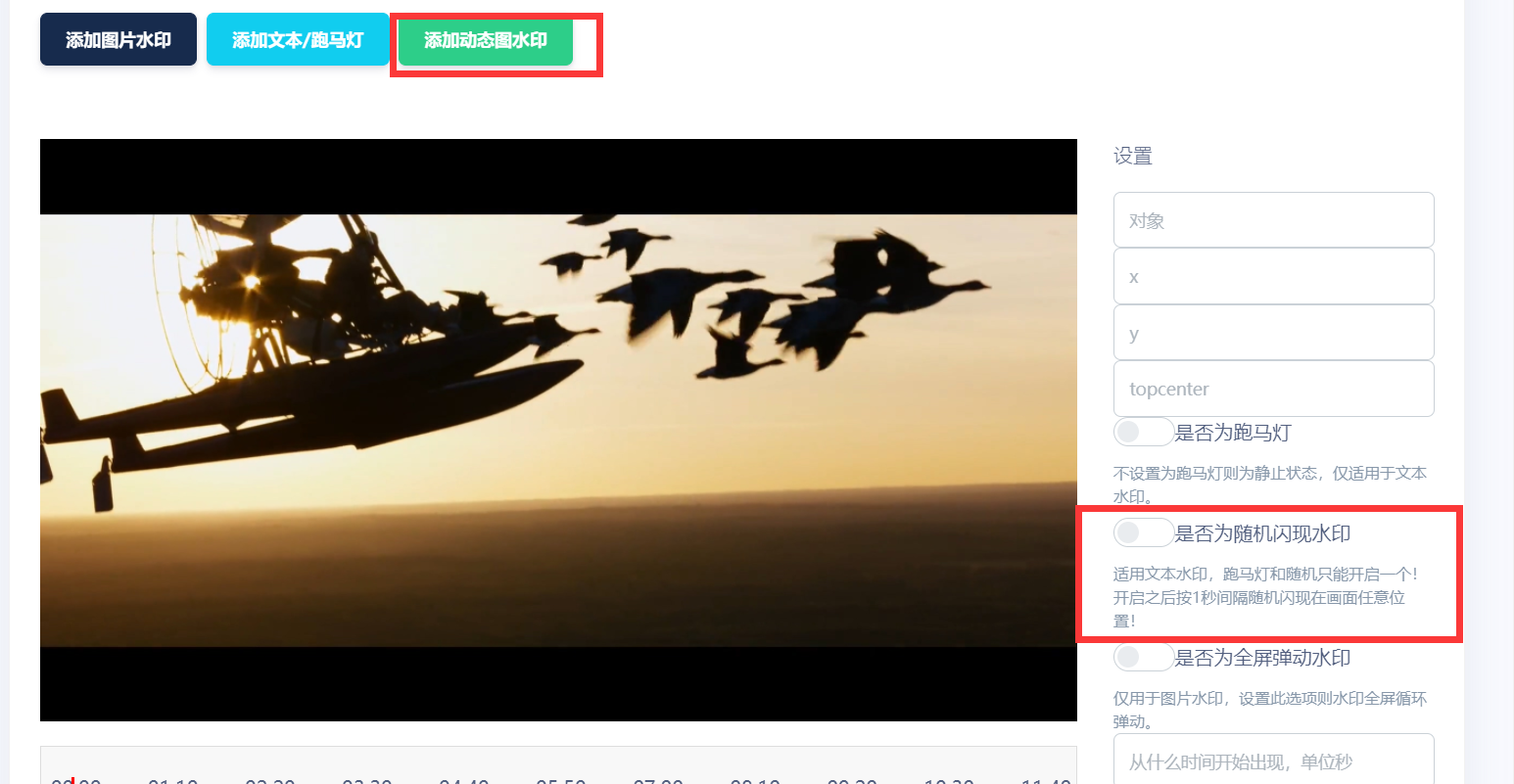
Many advanced transcoding techniques would make EFVCMS too complicated, so I do not add all of them. While watching a B-site live stream, I noticed an appealing picture-in-picture effect: one video embedded as a watermark in another. It seemed fun to implement, but many users might not be able to create those video ads, so I chose animated-image watermarks as a compromise. That took just an hour, so I also added randomly flashing text watermarks, appearing at arbitrary positions every 1 second. Video-resolution checks keep them entirely within the frame. Both features took only a few hours overall. After further study, features that once required days can now take 2 hours each, which is satisfying.
Changelog
- One: Added animated-image watermarks. Upload animations as watermarks, preserving transparent backgrounds when present. They adapt to all output resolutions, automatically scaling with resolution. Their final positions and sizes match the WYSIWYG editor regardless of output resolution. Configure initial appearance time, recurrence interval and display duration. Tests of burned-in animations produced excellent results.
- Two: Added randomly flashing text watermarks, similar to the
IDwatermarks used byB-siteUPcreators. Text appears at a random position each second, with resolution-based bounds keeping the entire watermark inside the frame. It is never half-visible or outside the picture. Configure initial appearance time, recurrence interval and display duration. Improved frame-interval movement supports all videos; second-based movement failed on some formats, leaving text stationary. Most importantly, it adapts to all output resolutions and automatically adjusts its display size.
Screenshot